
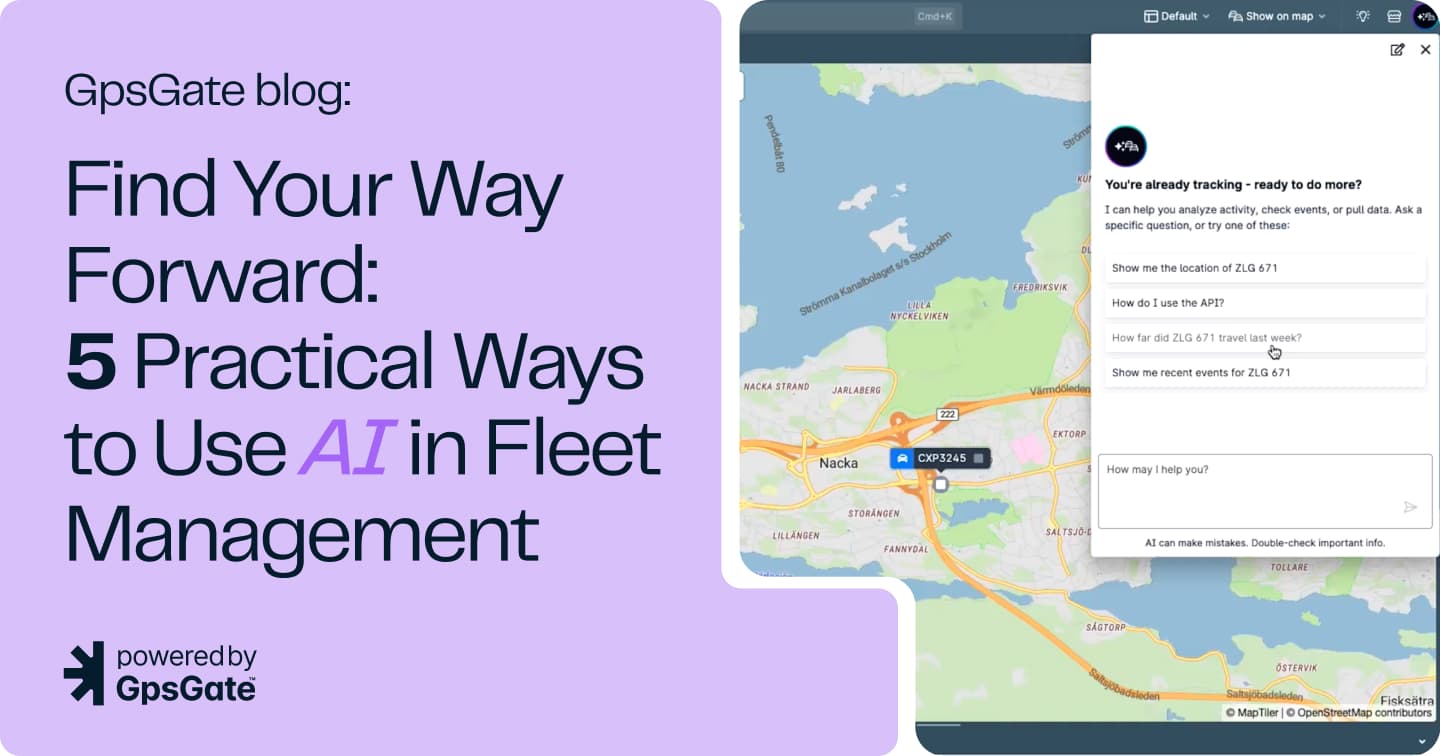
Find Your Way Forward: 5 Practical Ways to Use AI in Fleet Management
Artificial intelligence is quickly becoming part of everyday business software, but many fleet managers are still asking the same question: What can AI actually help me do?
The answer isn't replacing your workflows or making decisions for you. The most useful AI tools help you find answers faster, learn new capabilities, and move forward when you're unsure what to do next.
That's the idea behind GpsGate AI.
Built directly into the platform, we've built GpsGate AI to help users find information, understand features, troubleshoot issues, and uncover fleet insights without leaving their workflow.
Here are five practical ways you can use GpsGate AI in your fleet management today.
1. Pull Quick Fleet Insights
Many fleet managers know the information they're looking for but aren't always sure where to find it. GpsGate AI can help answer straightforward questions about fleet activity. What is it really good at? Events, event rules, report types, running reports, queries around assets, groups, POIs, geofences, trips, Tracks, GPS tracker types.
Example prompts:
- "Who is speeding today?"
- "Which vehicles were inactive yesterday?"
- "Which assets are inside this geofence?"
- Did vehicle 'ABC123' visit Arlanda Airport yesterday?
- What was the ratio of driving vs. stand still for 'ABC123' yesterday?
- Show me where 'ABC123' drove yesterday
Instead of navigating through multiple reports, users can start with a question and quickly identify where to investigate further.
Best for:
-Fleet operators
-Dispatchers
-Daily monitoring
2. Configure Features Faster
Every fleet management platform has powerful features that users don't configure every day. Maybe you're setting up a geofence for the first time. Maybe you need an event rule but can't remember the exact steps. When you're stuck, instead of searching documentation or opening support articles, simply ask:
Prompt:
"How do I create a geofence?"
GpsGate AI can guide you through the process and help you understand the next steps.
Best for:
-New users
-Administrators
-Occasional configuration tasks
3. Use clear prompting for better results
Like any AI tool, the quality of the answer often depends on the quality of the question. In the case of GpsGate AI, it is no different. It's best to be as specific as possible in your questions. A few tips:
✅ Be specific
Instead of:
"Show speeding"
Try:
"Show vehicles that exceeded 90 km/h today"
✅ Include dates or time ranges
Instead of:
"Show inactive vehicles"
Try:
"Show vehicles that were inactive yesterday"
✅ Focus on one task at a time
Specific questions generally lead to more useful results.
4. Create Event Rules, Scripts, and Troubleshoot Devices for Advanced Users
For technical users, scripting can unlock powerful automation and customization capabilities. But creating scripts from scratch often takes time. GpsGate AI can help users understand scripting concepts, explain existing scripts, and assist in creating new logic.
Prompt:
"Help me create an event rule that alerts me when a vehicle enters a geofence after business hours."
This can help reduce development time and make advanced functionality more accessible.
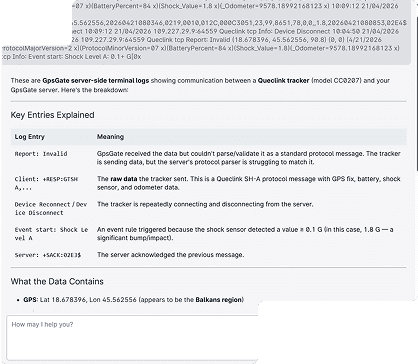
Device signals and troubleshooting
Device troubleshooting often requires interpreting technical information from trackers and terminal data.
For users who don't work with device diagnostics every day, understanding what they're looking at can be challenging.
Prompt:
"Can you explain this terminal data?"
GpsGate AI can help interpret information and point users in the right direction for further troubleshooting.
Best for:
-System integrators
-Developers
-Technical administrators
5. Support your own Use Cases
Use AI in the field with the Fleet app
Fleet management doesn't stop when you leave your desk—and neither does GpsGate AI.
The same AI assistant is available in the Fleet app, making it easy to ask questions, check fleet activity, and find the information you need while you're on the go. Whether you're following up on an alert, checking vehicle activity, or looking for quick answers, GpsGate AI is there to help you move forward wherever work takes you.
Monitoring vehicle safety
Use GpsGate AI to help dial down on any inconsistencies that you need to inspect further. For example, a query with 'DriverID' can detect any unauthorized drivers of fleet vehicles.
Example prompt:
"Were any vehicles driving without DriverID today, June 26?"
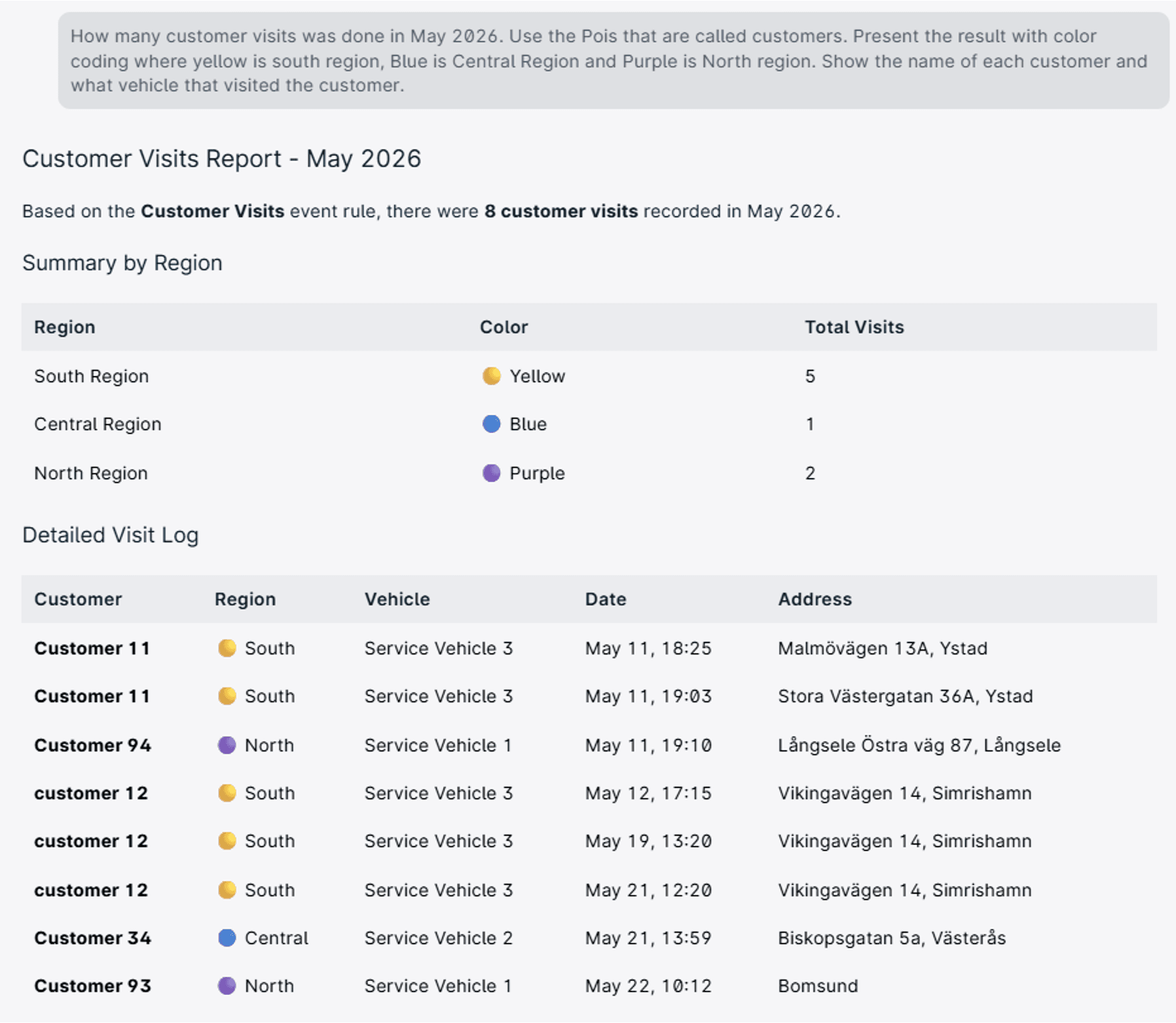
Workforce management
For service providers and tracking partners, verifying customer visits is a good best practice. GpsGate AI can help users quickly locate the right information and reports. You can even ask AI for results to generate in a certain way.
Example prompt:
"Show customer visits for this group."
This helps reduce time spent searching for information and allows teams to focus on serving customers.
Find Your Way Forward
GpsGate AI is designed to help users move forward when they're not sure where to go next.
Whether you're learning a feature, investigating fleet activity, troubleshooting a tracker, or building advanced scripts, AI can help reduce friction and keep you working inside the platform.
The best way to discover what's possible?
Sign up and start asking questions.

- acceptCookies - We use this cookie to remember if you have closed this window or not.
- country - We use this cookie to serve you country-specific data.
- gg_sessionId - This cookie helps us debug sign-up issues and general errors.
You can read more about cookies and privacy here.