
GpsGate 2026 Wrapped: the 5 best new tools of the year
The data is in, and 2026 was our biggest year for new tools yet. Throughout 10 monthly releases, our users got an AI assistant to answer fleet-wide queries, a refreshed platform and map, more Fleet app features, and new tools for developers. Beyond that, GpsGate is device-agnostic, so our device integration teams has added dozens of new GPS trackers and hundreds of new signals from major device manufacturers.
We looked at what shipped and what our users actually adopted. Here are the five tools that defined the year, and where to find each one in GpsGate today.

1. GpsGate AI ✨: from launch to everyday fleet assistant
Our users now ask fleet-wide question in plain language and get answers from their own data. GpsGate AI launched in May, by September, 7× more platforms were using it than at the start of the year.
- End users get answers about their fleet data: Where a vehicle is, how far it drove, which alerts fired, which vehicles are due for service. It also helps troubleshoot a tracker that isn't reporting.
- Builds things for you: Event rules, geofences, and POIs from a simple request. It even helps write scripts for event rules and device mapping.
- Helps when you're stuck: It explains where to find a feature and how to configure it, so new users get going faster.
Where to find it: the GpsGate AI ✨ icon in the top right-hand corner of your platform.

2. A refreshed GpsGate platform experience
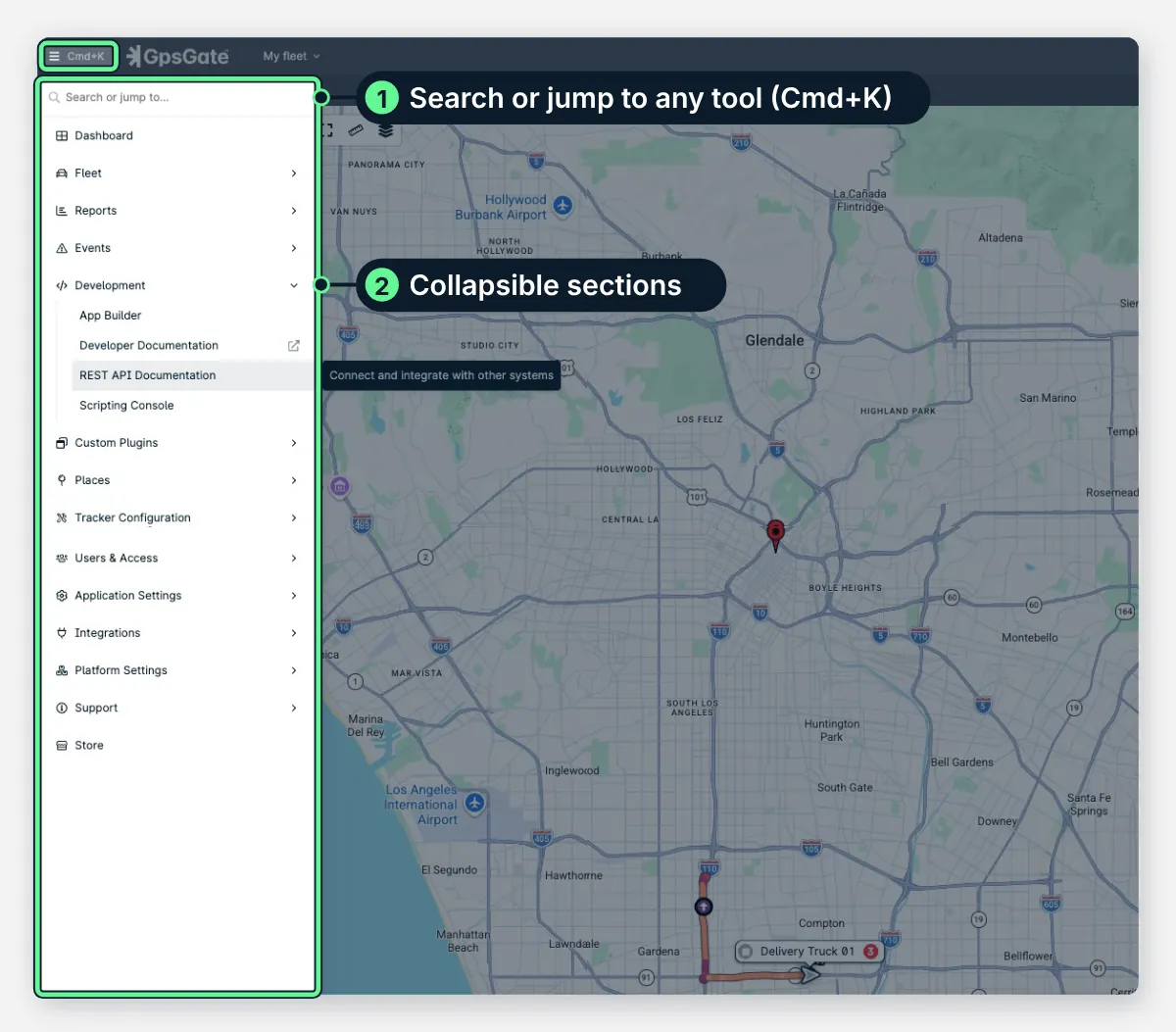
Our users find what they need faster in a platform built around how they work. A big change was the redesigned Main Menu, with collapsible sections and search.
- Redesigned Main Menu: It slides in from the left, with collapsible sections and a search box for settings and tools.
- Dashboard: Predefined widgets show vehicle utilization, idle time, and distance at a glance. 3.7× more platforms use Dashboard than a year ago.
- Rebuilt tables: Every table now scrolls smoothly, even with a million rows. You can sort, pin, hide, resize and move columns, and your layout is saved.
Where to find it: the hamburger menu in the upper-left-hand corner of your platform
3. A clearer map with colored Tracks
A GpsGate fan-favorite throughout the years is Tracks - a way to visualize vehicle whereabouts on the map. Now, users can not only see where a vehicle went, but how it drove. New Colored Tracks paint a trip by any signal the tracker reports.
- Colored Tracks: Visualize speed, fuel level, temperature or another signal along the route. A range slider keeps outliers from flattening the colors.
- Numbered stops and a synced timeline: Stops are numbered on the map and in the trip list, and the timeline syncs with trips and shows idle spots.
- Direction arrows and clearer labels: Assets show as arrows pointing the way they're traveling, with labels that never overlap.
Where to find it: Main Menu > Fleet > Tracks.

4. More fleet management in the Fleet app
Our users manage more of their fleet from their phone. The Fleet app gained tools that used to require logging into the web application.
- Geofences on mobile: Create and edit geofences directly in the app.
- Fuel refills and trip replay: Drivers and managers log fuel refills from an asset's details. Trip replay has a slider and a speed graph.
- Redesigned navigation and better notifications: Plus marker clustering controls and more flexible asset-list filtering.
Where to find it: Main Menu > Sign in on mobile or the GpsGate Fleet app for iOS and Android.
5. New tools for developers and system integrators
System integrators and tracking businesses build, troubleshoot and configure each customer's setup faster on our platform this year.
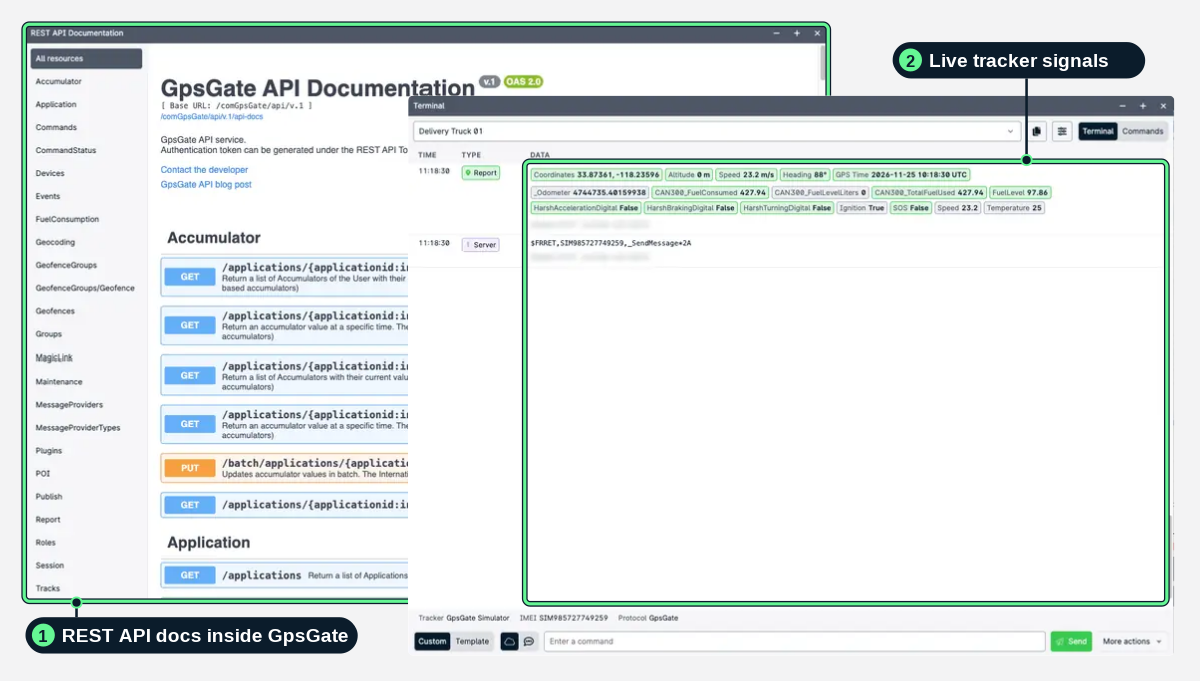
- REST API documentation in GpsGate: Browse and test endpoints in the platform, no API key needed.
- Terminal upgrade: Clearer log lines with date dividers, copy buttons, hex format and newest-first ordering.
- Teltonika Mapper: Analyze tracker signals and fix data mapping in one place. Now available to all customers.
Where to find it: Main Menu > Development > REST API Documentation, and Main Menu > Tracker Configuration > Teltonika Mapper.
Frequently asked questions
Does GpsGate have an AI assistant?
Yes. GpsGate AI is available in GpsGate Cloud. Users ask about their own fleet data, find features, and get help creating event rules, geofences and scripts.
Which GPS trackers work with GpsGate?
GpsGate is device agnostic. It supports trackers from vendors such as Teltonika, Queclink, Ruptela, Suntech, Jimi IoT and Concox, so you can bring your own hardware. See the full list on our supported devices page.
Can I set up alerts without coding?
Yes. In the Event Rule editor you set alerts for speeding, geofences, offline trackers, driver ID or any tracker signal, such as ignition or temperature. For advanced logic, you can add a script.
Can I build on GpsGate with an API?
Yes. Integrators build on the REST API and scripting. The API documentation is built into GpsGate, so you can test endpoints right away.
How fast can I get started?
Right away. Sign up for the 30-day free trial, no sales call needed, and test with the built-in vehicle simulator or your phone as a tracker. Then connect your own trackers.
How much does GpsGate cost?
GpsGate Cloud is priced per device per month, with a 30-day free trial. Large projects can get volume pricing.
Every tool in 2026 had the same goal
Every release this year aimed to help our users get value from their tracking data faster. Since 2007, GpsGate has helped users in 150+ countries get to know their fleets better, and we're ISO 27001 certified. We'll keep building in 2027.